How VIBE search works
VIBE ranks products using both keyword matches and meaning-based matches. This page explains how that works. Setup for each part lives in the linked guides below.
Meaning, not just keywords
Section titled “Meaning, not just keywords”A keyword search compares a shopper’s words with your product titles, descriptions, and other product data. A result can be missed when the search and the product use different wording.
VIBE also compares meaning. A shopper who searches for “something warm for winter” can find a wool coat even when those words are not in the product title. Related concepts, alternative phrasing, and misspellings can still produce a match.
Keyword and meaning together
Section titled “Keyword and meaning together”VIBE does not throw keywords away. It combines two things for every search:
- Keyword matching, the exact and close word matches a shopper expects.
- Meaning-based matching, how close a product is to the meaning of the search, even when the words differ.
VIBE combines both into one ranked list.
How results are ranked
Section titled “How results are ranked”Each result gets a score based on how well its words match and how close it is in meaning. Higher-scoring products appear first.
Run a search in Search Preview to compare the overall Score with the Semantic score.
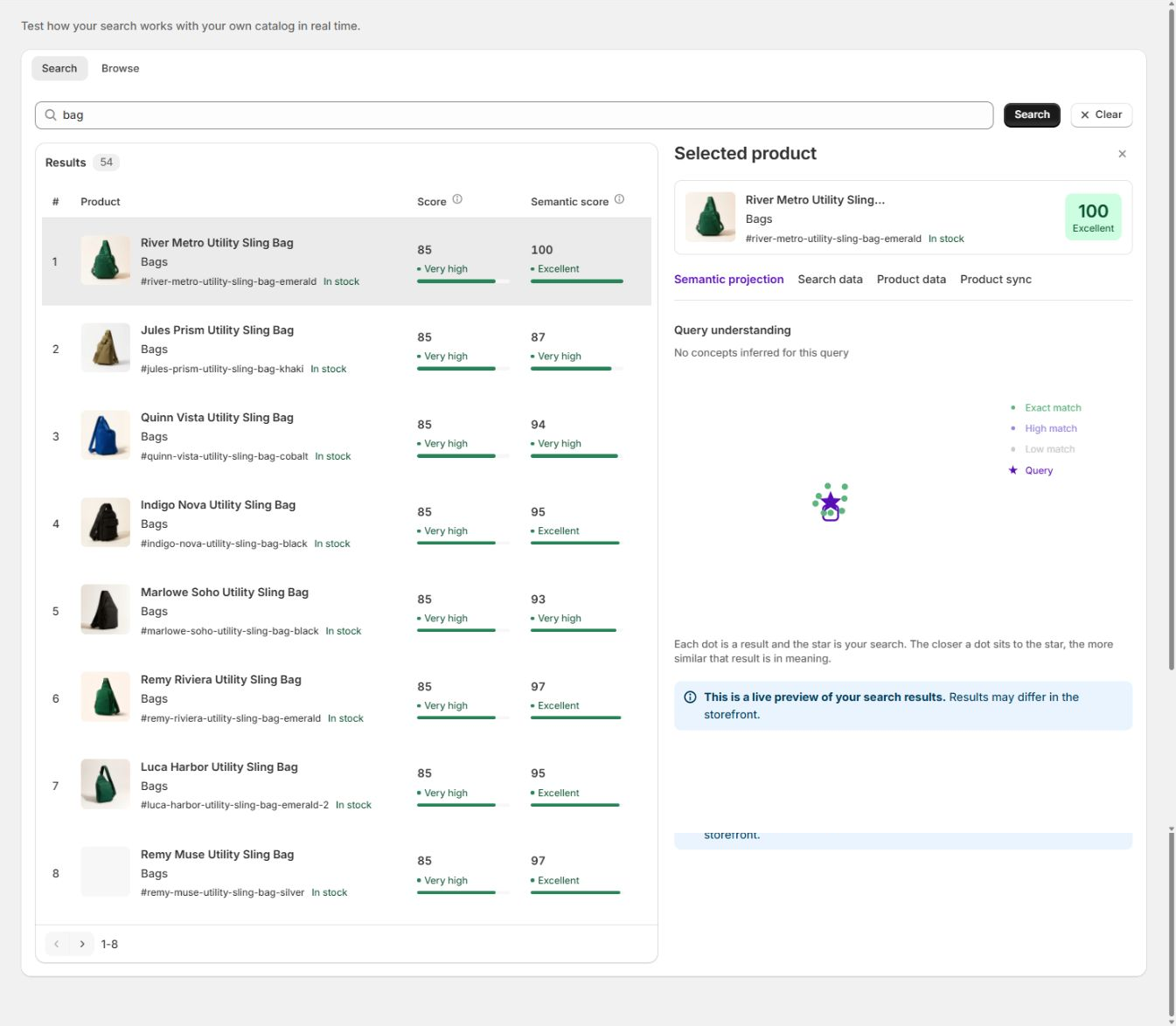
Search as you type
Section titled “Search as you type”As a shopper types, VIBE can show suggestions and instant results before they press enter. This is autocomplete. You choose where it appears and what it shows on the Appearance page, under Quick search.
If meaning-based matching is briefly unavailable
Section titled “If meaning-based matching is briefly unavailable”VIBE falls back to keyword matching only, then switches back to meaning-based matching automatically once it’s available again. You don’t need to do anything.
Search flow
Section titled “Search flow”These pieces fit together in order:
- Update VIBE’s copy of your catalog. VIBE reads your product data and builds its own searchable copy. Choose what’s included on Sync and Index.
- Interpret the search. VIBE identifies related concepts and phrasing.
- Rank the results. It scores every product on keyword and meaning, and puts them in order.
- Apply controls and rules. Result rules can reorder products or change search behavior. Explore controls let shoppers refine results themselves.
- Show the results. The look and behavior are set on Appearance. Compare VIBE against your theme’s own search with A/B testing.
Troubleshooting
Section titled “Troubleshooting”How is VIBE different from Shopify’s built-in search? Shopify’s native search mostly matches the exact words a shopper types against your product text. VIBE adds meaning on top, so shoppers can use natural language, synonyms, and misspellings and still find the right products. It also adds autocomplete, Explore controls, result rules, analytics, and the A/B test, which native search does not include.
A search returns no results, but I stock matching products. Why? Confirm the product is in VIBE’s copy of your catalog and not excluded, on Sync and Index. Then try fewer words and clear any active filters. Reaching your plan’s monthly shopper-visit allowance does not cause empty results.
If you contact support, they may use VIBE’s internal names for these ideas: VIBE’s copy of your catalog is called the index, updating it is called a sync, how VIBE reads your products is called the search profile, and meaning-based matching is called semantic matching. You never need these words to use VIBE, but they can help a support conversation move faster.