VIBE search and discovery
VIBE combines keyword and meaning-based search. Keyword search looks for the words a shopper types. Meaning-based search also compares what the query means with your product data.
For example, a search for “something warm for winter” can return a wool coat even if that exact phrase is not in the product title. Results still use keyword signals, so exact product names and terms remain important.
VIBE also provides quick search, a full search page, Explore controls, Smart Filters, visual discovery, saved products, result rules, analytics, and an A/B test against Shopify native search.
1IntentThe shopper types, explores, filters, or starts from a product image.
2MatchVIBE combines keyword, meaning, structured, collection, variant, and image signals.
3ControlFilters, Explore settings, availability, and rules shape the result.
4DiscoverThe shopper opens a product, refines the result, or saves a preference.
5LearnAnalytics reports usage, engagement, sales VIBE helped create, and opportunities.
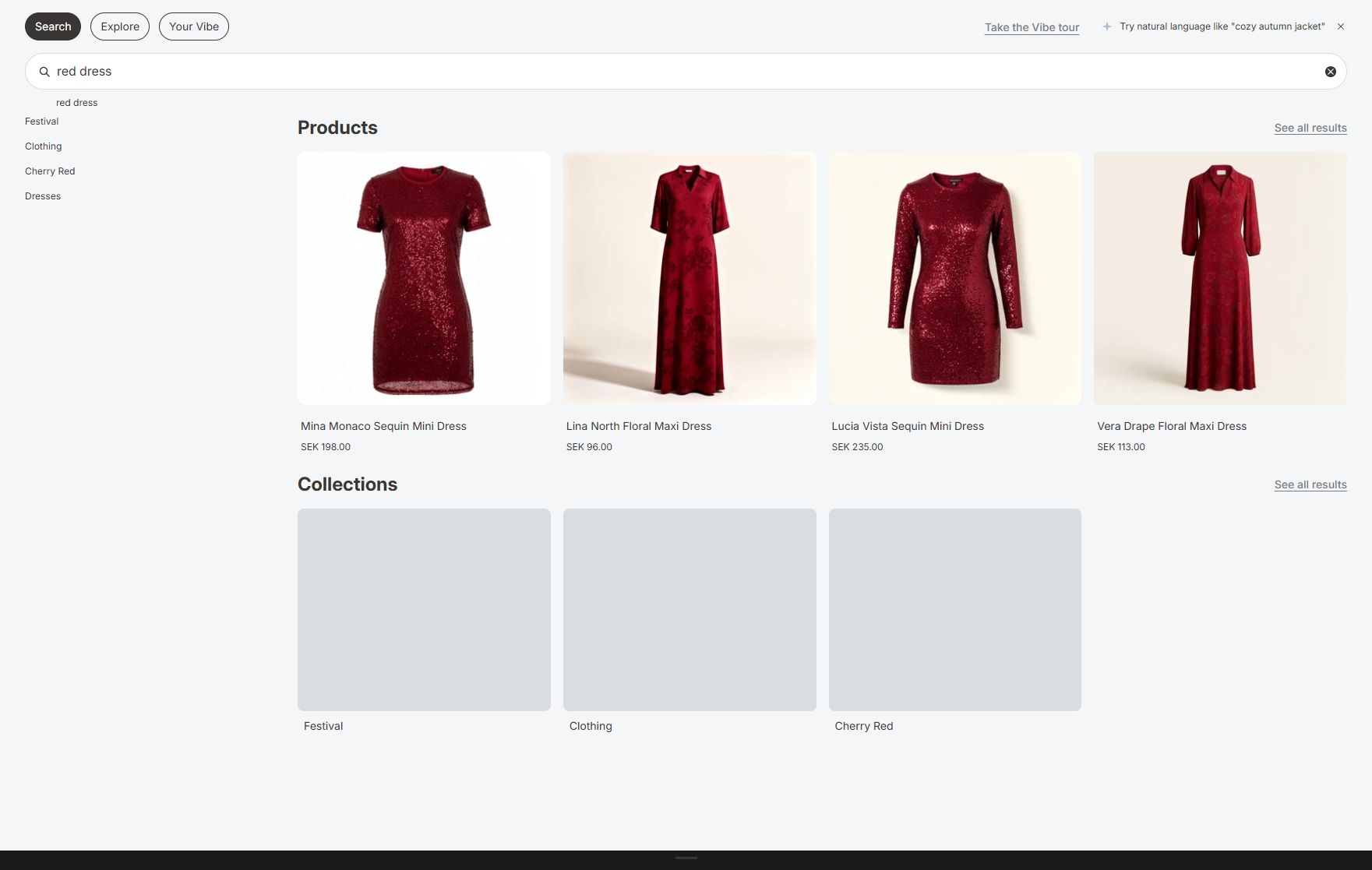
Search helps shoppers express a known or approximate need.
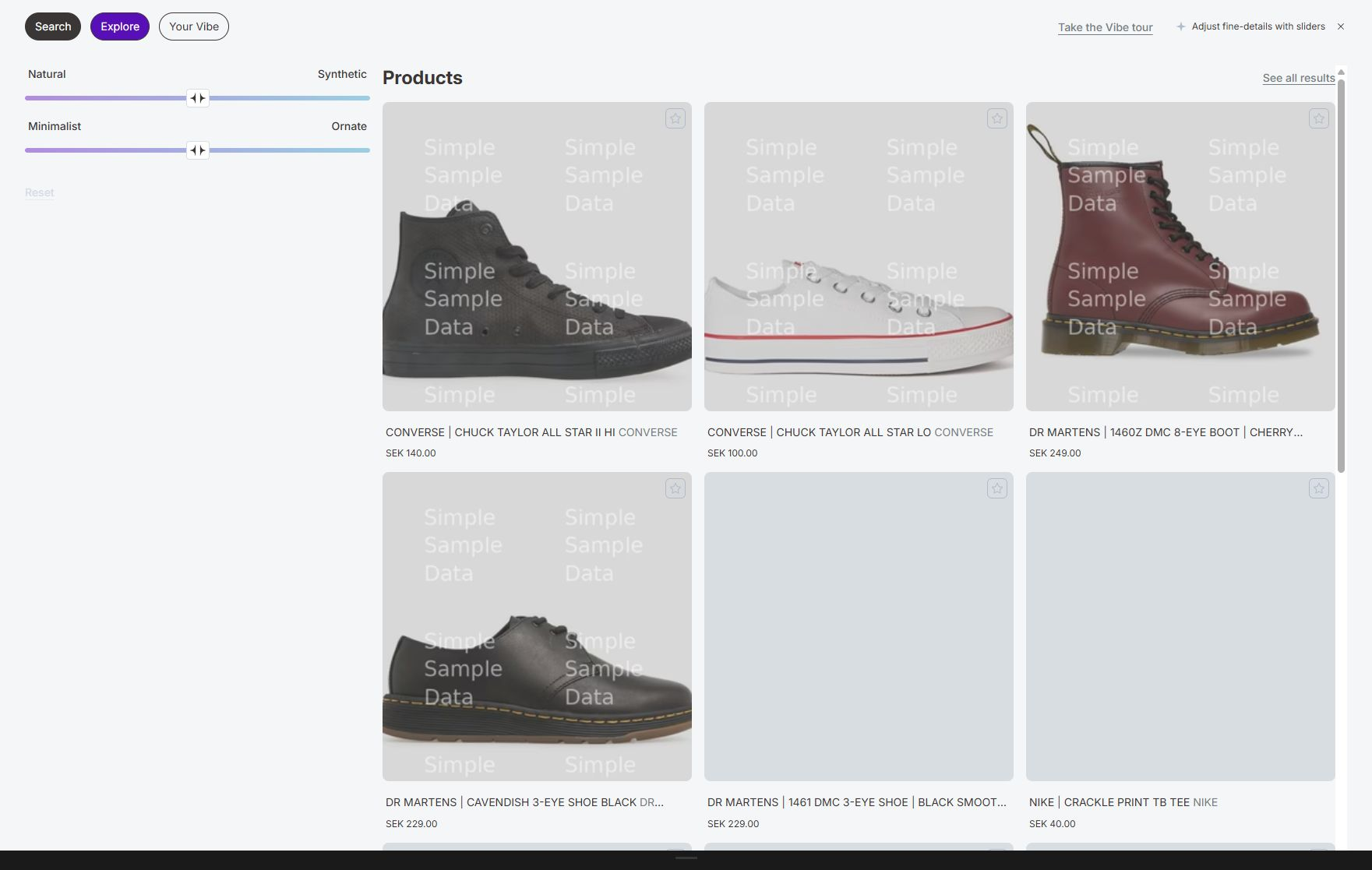
Explore supports guided browsing when the shopper does not have a precise query.
Core features
Section titled “Core features”- Meaning-based and keyword search: matches exact terms and related meaning.
- Quick search: shows products, collections, suggestions, pinned and popular searches, articles, and pages while a shopper types. See Quick search and suggestions.
- Full search page: gives shoppers result types, sorting, filters, Explore, Your Vibe, and additional product batches. See Full search results page.
- Explore controls: lets shoppers adjust results with sliders, toggles, and concepts. See Explore controls.
- Smart Filters: applies exact Shopify filters such as availability, price, product type, and options. See Explore and Smart Filters.
- Visual discovery: supports Find similar, saved products, Your Vibe boards, and image search on plans that include them. See Visual discovery and Your Vibe.
- Result rules: boosts, buries, pins, redirects, or adds synonyms for selected searches. See Result rules.
- Analytics: reports search volume, clicks, no-result queries, conversions, and sales VIBE helped create. See Analytics.
- A/B testing: compares VIBE with Shopify native search on the same storefront traffic. See A/B testing.
- Storefront settings: controls the search surface, product cards, text, colors, and layout. See Appearance.
Where to start
Section titled “Where to start”- Start with Getting started if VIBE is not live yet.
- Use the Complete merchant guide if you are responsible for the whole search operation.
- Read How VIBE search works for an explanation of ranking.
- Use Sync and Index to control catalog data and searchable products.
- Use Search Preview to test a query before checking the storefront.
- Open the documentation index for all feature and developer guides.
- Follow the Launch and operating playbook for task-based procedures.