Privacy, shopper visits, and sales tracking
This guide explains the data flows merchants most often need to understand for privacy reviews, usage questions, analytics implementation, and revenue reporting.
It describes VIBE’s current storefront behavior. Your store remains responsible for its own privacy notice, consent tools, Shopify configuration, Google Tag Manager setup, and any third-party tags you add.
Storefront sessions and consent
Section titled “Storefront sessions and consent”VIBE creates a random session identifier in the shopper’s browser. It is stored in sessionStorage, not in a VIBE cookie.
The session:
- Contains a random identifier rather than a shopper name or email.
- Expires after 30 minutes of inactivity.
- Refreshes its activity time while the shopper continues using the storefront.
- Is scoped to the browser tab’s session storage.
- Is used to deduplicate monthly usage and keep A/B assignment stable.
VIBE checks Shopify’s Customer Privacy API before recording optional analytics. Search and visit metering continue if analytics is declined or the API is unavailable. Search events are stored only when Shopify allows analytics processing. Persistent sales attribution also requires marketing permission; GTM events additionally require permission for sale of data because a merchant’s tags can send data to other services.
Changing consent takes effect for later requests. Withdrawing consent stops optional tracking, removes VIBE’s saved browser identifier for sales tracking, and asks Shopify to clear it from the cart. Random identifiers can connect activity to an order, so they should be included in your privacy review even though they do not contain a name or email.
If browser storage is unavailable, VIBE can still attempt to serve search, but the request cannot be reliably counted as a new deduplicated billing session without a valid identifier.
What counts as a VIBE session
Section titled “What counts as a VIBE session”The storefront sends a session beacon when the VIBE runtime loads for a real visitor. It records browser-side completion only after the app accepts the request and retries transient failures; the server still deduplicates the identifier. The same active identifier is counted once within the 30-minute window even if the shopper performs many searches, clicks, filters, or Explore actions.
Bot traffic is filtered from normal session metering. New sessions are also protected by abuse limits so obviously excessive traffic does not become normal billable usage.
During an active A/B test, shoppers assigned to Shopify native search are the control group. Those control-group visits are not counted as VIBE sessions while they see native search.
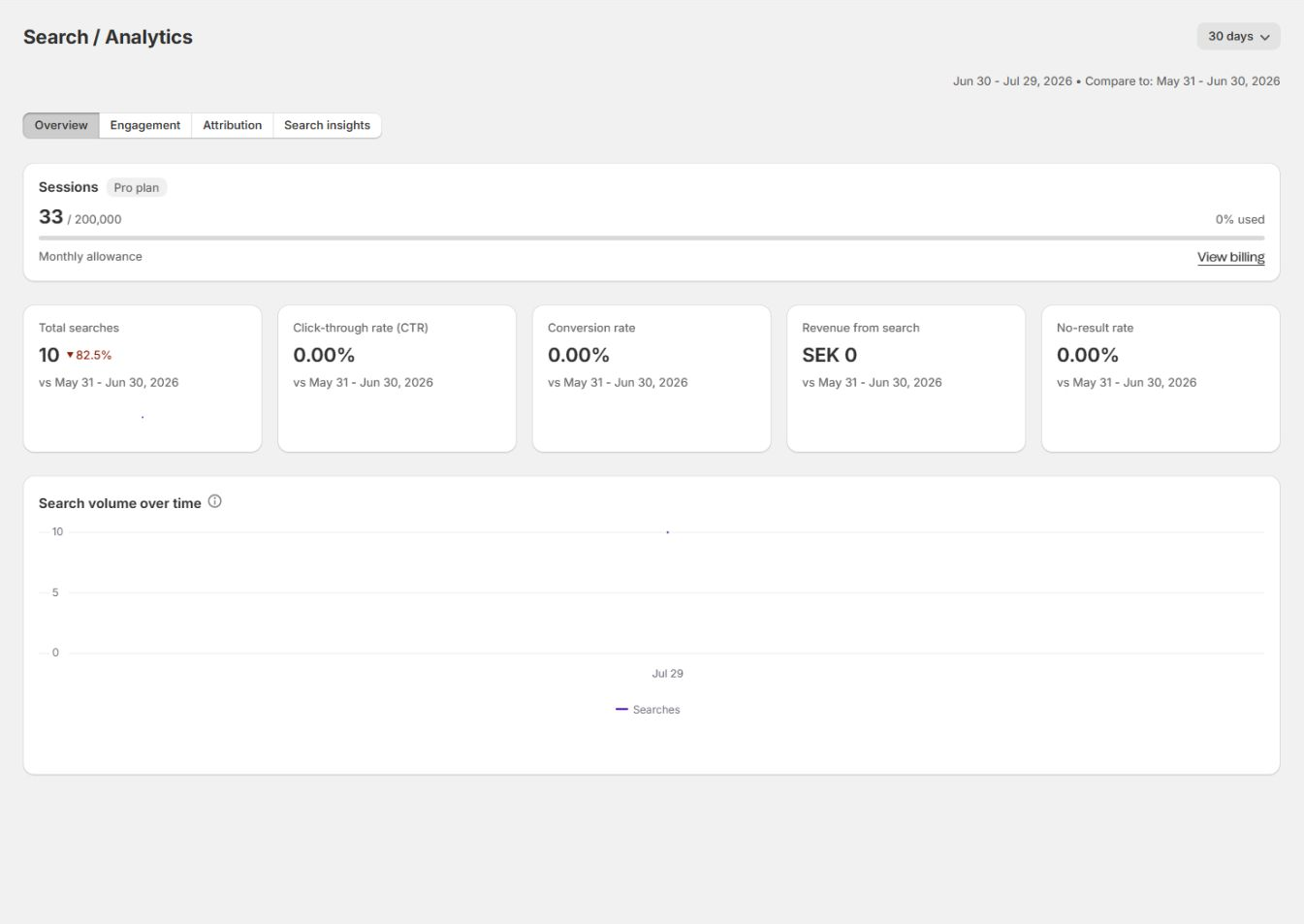
The current monthly total appears on Home, Analytics, and Plan and Billing. The allowance resets at the start of each calendar month in UTC. Declining optional analytics does not change how billable visits are counted.
Browser storage used by shopper features
Section titled “Browser storage used by shopper features”Session storage
Section titled “Session storage”VIBE uses session storage for temporary state such as:
- The anonymous active-session identifier.
- The last activity timestamp.
- Up to 20 pending analytics delivery URLs for at most 10 minutes. This short-lived queue lets a new page retry an event interrupted by navigation with the same replay nonce and original occurrence timestamp. A URL can contain the event type, query, session id, product id, occurrence time, and, when sales tracking is allowed, the attribution id. Successful deliveries are removed immediately and relevant consent withdrawal clears them. The server acknowledges but does not store a retryable beacon when its occurrence time is missing, malformed, more than 15 minutes old, or more than one minute ahead of the server.
- Short-lived Your Vibe recommendation caches.
- Other tab-session state needed to keep the experience responsive.
Closing the browser tab normally ends that session-storage context.
Local storage
Section titled “Local storage”When analytics and marketing are allowed, VIBE stores a random attribution identifier in localStorage as vibe_aid and carries it in the cart attribute __vibe_aid. Consent withdrawal clears the saved browser identifier and requests its removal from the cart. If Shopify has not yet accepted that removal, VIBE keeps a non-identifying one-bit pending-clear flag across tabs and browser restarts, retries on a later page lifecycle, and removes the flag after Shopify accepts the clear.
Your Vibe favorites are saved locally in the shopper’s browser, per store. The current implementation caps the saved list and synchronizes updates between browser tabs where storage events are available.
This means:
- A shopper can return to saved products in the same browser profile.
- Favorites do not automatically follow the shopper to another device.
- Clearing site storage removes the saved list.
- Private browsing and browser policies can shorten persistence.
- Saving a product does not require a Shopify customer account.
The stored favorite contains the product information required to render and revisit it, such as product identifier, title, image, and optional display fields.
Search and discovery events
Section titled “Search and discovery events”When Shopify allows analytics processing, VIBE records events for product reporting and relevance improvement. Depending on the shopper action, these can include:
- Search or discovery request.
- Query text.
- Result count.
- Response time.
- Storefront source or surface.
- Selected semantic controls.
- Product impressions.
- Product click and rank position.
- Time to click or product view.
- Cart add.
- Filter use.
- A/B test group.
- A random attribution identifier.
The admin uses these events in Home, Analytics, A/B Test, Merchandising impact, and Explore impact.
Search Preview is excluded from normal shopper analytics and billable storefront sessions.
Google Tag Manager events
Section titled “Google Tag Manager events”When Sync and Index > Configuration > Google Tag Manager is enabled and Shopify allows analytics, marketing, and sale of data, the VIBE storefront pushes supported events to window.dataLayer.
Current event families include:
vibe_searchvibe_search_no_resultsvibe_search_click
The payload can include fields such as query, result count, response time, product handle, and product position.
Turning on the VIBE setting does not install Google Tag Manager. Your theme or tag-management implementation must already create the data layer and load the container.
Verify GTM before launch
Section titled “Verify GTM before launch”- Open the published storefront in GTM Preview or your browser’s developer tools.
- Run a search that returns results.
- Confirm a search event with the expected query and result count.
- Click a product.
- Confirm the click event and product position.
- Run a query that returns no results.
- Confirm the no-result event.
- Verify your downstream tag fires only once for each intended event.
Avoid sending the same VIBE event to an analytics tool through both GTM and another custom theme script unless intentional.
A/B test assignment
Section titled “A/B test assignment”While a test is active, VIBE assigns an anonymous session to Variant A or the Shopify-native control using the session identifier. The same active session keeps the same group.
When analytics is allowed, VIBE records control-search activity separately so the A/B page can compare outcomes. Control traffic uses Shopify native search and is excluded from VIBE session metering during the test. Visitors who decline analytics are absent from these outcome reports.
Do not clear browser storage while performing a manual A/B QA session, because a new identifier can receive a different group.
Paid-order attribution
Section titled “Paid-order attribution”When Shopify allows analytics and marketing, VIBE uses a random attribution identifier to connect discovery activity with a later paid Shopify order.
The normal flow is:
- A VIBE result interaction receives an attribution identifier.
- The storefront carries that identifier with the cart or line-item context.
- Shopify sends the paid-order webhook.
- VIBE reads the identifier and only the order-line information required for matching, such as product, price, and quantity.
- The worker matches purchased products to the VIBE activity and updates attribution metrics.
The paid order can match eligible discovery activity from the previous 30 days. The attributed revenue belongs to the original interaction date, and VIBE refreshes that historical day’s totals after the match.
The order-attribution job intentionally excludes customer-identifiable fields that are not needed for the match.
Analytics distinguishes stronger and weaker evidence:
- ATC-confirmed attribution has a matching cart-add signal.
- Click/view attribution has a matching discovery interaction.
- Shopify/control attribution is reported separately where A/B control activity exists.
Revenue is reported after the order is paid and processed. A recent date can continue to fill in after search and click figures have already appeared.
Distinct order sessions counts anonymous sessions with at least one exact VIBE-attributed conversion. While raw events are retained, one session counts once across all matching products and orders in the selected range. For an older range, only privacy-safe daily distinct counts remain; the dashboard labels their sum Daily distinct order sessions, and one session active on multiple UTC days can count once on each day. If a legacy rollup with attributed orders predates that daily field, VIBE shows the metric as unavailable rather than a false zero because expired anonymous identifiers cannot be reconstructed.
Product-line refunds reduce the corresponding attributed revenue. A partial line refund leaves the remaining product revenue and conversion in place. A full refund of all attributed lines, or an order cancellation, removes the conversion. Shipping-only refunds do not change product-search attribution. Webhook deliveries are processed idempotently so a Shopify retry does not subtract revenue twice.
Customer and shop data requests
Section titled “Customer and shop data requests”VIBE implements Shopify’s mandatory data-request and redaction webhooks.
- A customer data request is saved for background processing. The verified store owner can download an encrypted-at-rest result from Customer privacy in the app, including an explicit result when no matching data exists, and share it with the customer. Downloads expire after 7 days and can be prepared again while request context is retained. Staff accounts cannot download results.
- A customer redaction removes customer-linked attribution associated with the order identifiers Shopify supplies while preserving anonymous aggregate reporting where permitted.
- A shop redaction removes shop-scoped data according to VIBE’s retention workflow after uninstall.
For a formal privacy or deletion request, follow the store’s Shopify process and contact support when VIBE-specific confirmation is required.
If the app is uninstalled, support must verify the current store owner and arrange secure delivery. An owner notification alone does not complete a request.
Operational recommendations
Section titled “Operational recommendations”- Keep VIBE’s own session and analytics behavior documented in the store’s privacy review.
- Review every third-party tag separately; enabling GTM can introduce data flows outside VIBE.
- Do not add customer email, name, or other PII to custom VIBE event payloads.
- Use the live Plan and Billing meter for monthly usage.
- Compare Analytics date ranges only after paid-order attribution has had time to settle.
- When testing Your Vibe persistence, test normal browsing, a second tab, private browsing, storage clearing, and another device.