Search Preview
Search Preview runs a search against VIBE’s current copy of your catalog, without counting as a real shopper visit.
What you can do here
Section titled “What you can do here”- Run a search and see the ranked results.
- Compare each result’s overall score with how close it is in meaning to the search.
- Open a result to see the exact data VIBE has for that product.
- Try Explore controls and starting collections without opening your storefront.
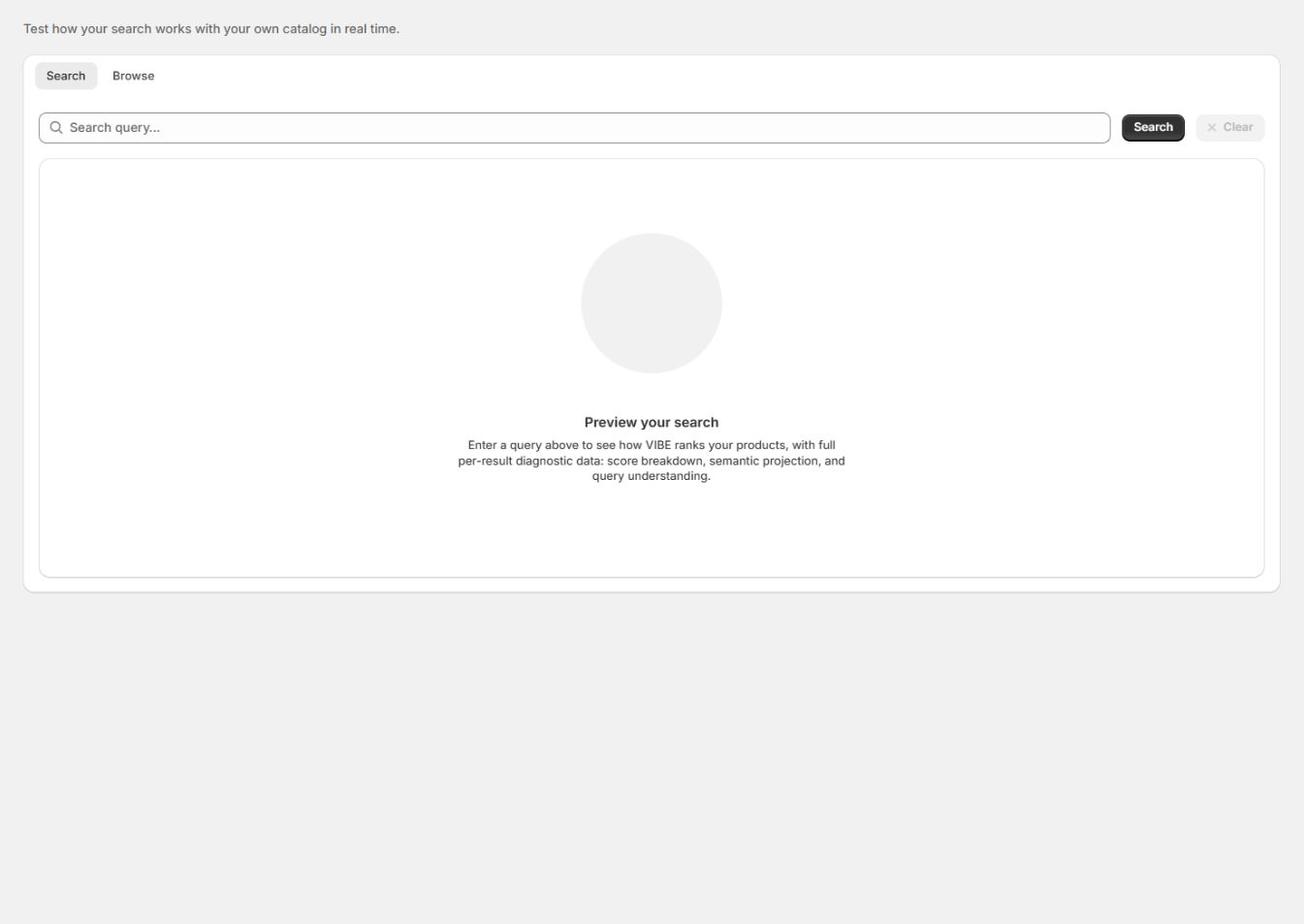
Run a search
Section titled “Run a search”- Type a search in the box.
- Select Search, or press Enter.
VIBE returns the ranked results from its copy of your catalog.
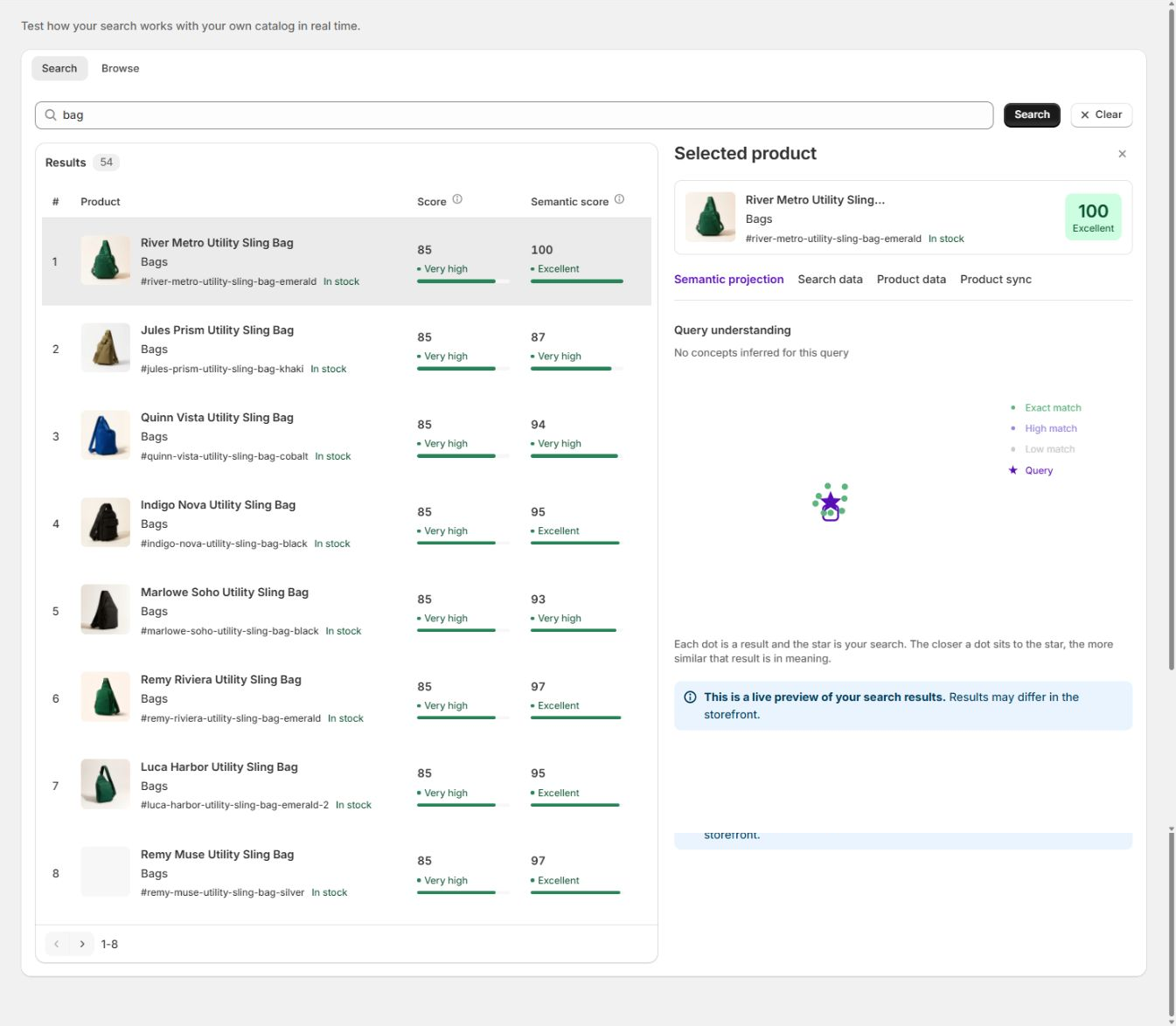
How to check it worked: the results table fills in below the search box.
Read the results
Section titled “Read the results”The results table lists the products VIBE returned, in rank order:
- Product is the product title, with its handle and stock status.
- Score is the overall match strength for the search, shown with a label such as Very high or Low. Higher scores rank first.
- Semantic score is how close the product is to the search in meaning, separate from exact word matches. A product can have a high Semantic score even when the search words do not appear in its text.
Compare the two scores to see whether a result depends more on matching words or on matching meaning.
Open the diagnostic panel
Section titled “Open the diagnostic panel”Select a result to open its Selected product panel:
- Semantic projection plots the search as a star and each result as a dot. Products closer to the star are closer in meaning.
- Search data shows the ranking signals used for this result.
- Product data shows the product data VIBE has on file.
- Product sync shows whether VIBE’s copy of this product is current.
- Query understanding shows the concepts VIBE picked up from the search. If nothing is shown, VIBE treated the search as plain keywords.
The first result is selected automatically. Select another row to compare it.
How to check it worked: the panel updates to show that product’s own data and scores.
Search data is available on Growth and higher. On Starter, you still see the result list, with an upgrade note where the per-result search data would be.
Try Explore controls in Browse
Section titled “Try Explore controls in Browse”Open the Browse tab to test Explore controls and starting collections without opening your storefront.
- Choose a starting collection, if any are available.
- Adjust one or more active controls.
- Select Explore products.
- Review the returned products and response time.
- Reset or move the controls and compare.
How to check it worked: the product grid updates each time you change a control or collection.
Use Browse to check whether a control actually changes the results in a clear way, and whether a starting collection gives shoppers a sensible group of products to begin from.
If no controls or collections are available, update VIBE’s copy of your catalog and configure Explore controls.
When to use it
Section titled “When to use it”- After a catalog change, to confirm the right products still surface near the top.
- To debug one product: search for it and read its scores and product data to see why it ranks where it does.
- To see how VIBE interpreted a search, in Query understanding and the Semantic projection.
- To test a new control or result rule before relying on it on your storefront.
Search Preview is a live preview. Results can differ slightly on your storefront, where a shopper’s own controls, filters, and active rules also apply.
Troubleshooting
Section titled “Troubleshooting”Preview results differ from what I see on my storefront. Why? Search Preview shows the base ranking. Storefront results also include the shopper’s own Explore control positions, active filters, and result rules, so the order can differ.
A product I expected is not in the results. Search for it directly and read its Score, Semantic score, and Product data in the panel. If it does not appear at all, it may not be in VIBE’s copy of your catalog, or it may be excluded; check it on Sync and index.
What does Query understanding mean when it says no concepts were found? VIBE treated the search as plain keywords rather than mapping it to broader concepts. This is common for short, literal searches.
Does Preview count toward Analytics or my monthly shopper-visit allowance? No. Preview searches are diagnostic. They do not create storefront search events or count toward your billable shopper visits.
If something looks wrong beyond what is covered here, see Diagnose search and storefront problems.