Admin control reference
Start here when you know the admin area or setting but need to understand what changing it will do.
The reference is divided by task. Each focused guide begins with a short summary, then explains the controls, dependencies, shopper effect, and verification steps for that area.
Choose an admin area
Section titled “Choose an admin area”
Catalog and which products can show
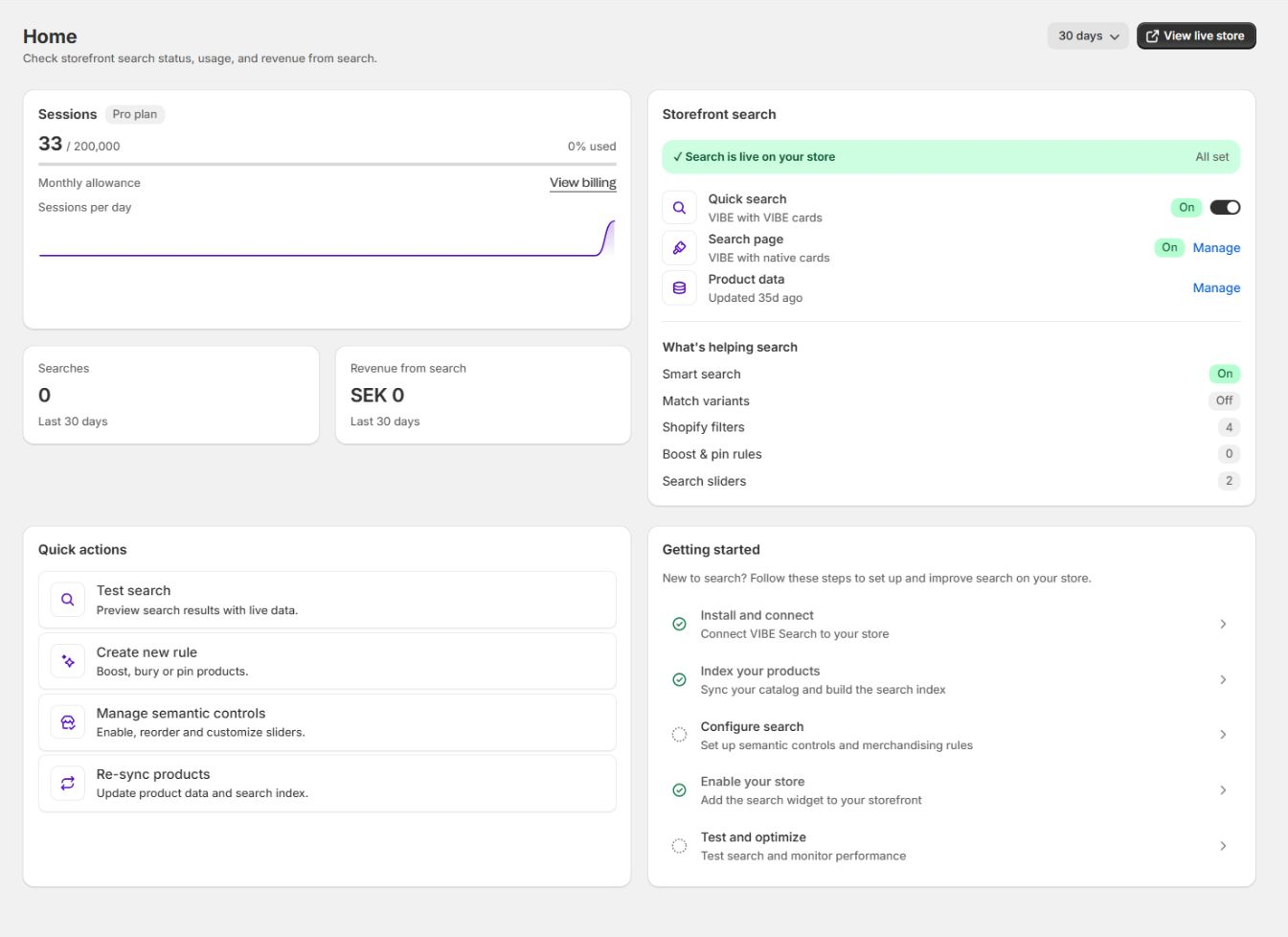
Home, Sync and Index
Read operational status, update VIBE's copy of your catalog, exclude catalog groups, set availability behavior, and manage how VIBE reads your products and images.
Storefront presentation
Appearance
Choose quick-search and full-page surfaces, VIBE or theme cards, translations, VIBE styling, and theme installation.
Shopper guidance
Discovery and merchandising
Create Explore controls, expose Shopify filters, select starting collections, manage visual actions, and configure rules.
Evidence and diagnosis
Measurement and testing
Read search and revenue reporting, reproduce ranking in Preview, and operate a controlled VIBE versus Shopify test.
Subscription and help
Account, billing, and support
Review current plan and usage, open setup and documentation, run service checks, email support, or request a call.
How to use this reference
Section titled “How to use this reference”1Choose areaOpen the guide for catalog, presentation, discovery, measurement, or account work.
2Read effectConfirm whether the control changes data, ranking, presentation, or reporting.
3Check dependencyIdentify any required catalog update, profile activation, theme check, or plan access.
4Change one areaSave the smallest related set of controls.
5VerifyUse Preview, the storefront, Analytics, or plan status as appropriate.
Find the right guide by symptom
Section titled “Find the right guide by symptom”| What you are trying to change | Open |
|---|---|
| A product is missing, stale, excluded, or unavailable | Home, Sync and Index |
| Collection, variant, image, or context-photo search | Home, Sync and Index |
| Search opens in the wrong interface | Appearance |
| Product cards, spacing, colors, or translations look wrong | Appearance |
| Shoppers need a preference control or exact filter | Discovery and merchandising |
| A product must be boosted, buried, pinned, renamed, or redirected | Discovery and merchandising |
| You need query, engagement, revenue, or no-result evidence | Measurement and testing |
| You need to reproduce ranking without normal storefront activity | Measurement and testing |
| You need plan, usage, setup, support, or a call | Account, billing, and support |
Understand what a setting changes
Section titled “Understand what a setting changes”| Change type | Examples | What to verify |
|---|---|---|
| Which products can show | Exclusions, publication, availability behavior | Product presence and counts after processing |
| VIBE’s copy of your catalog | Variant search, collection search, image sources | Activating how VIBE reads your products, updating VIBE’s copy of your catalog, Preview, visual search |
| Ranking | Explore controls, filters, result rules | Stable queries in Preview and storefront |
| Presentation | Search surface, product cards, style, translations | Desktop, mobile, theme, language, market |
| Measurement | GTM, Analytics range, A/B Test | Event delivery, equal periods, test state |
| Commercial access | Plan, shopper visits, feature limits | Live Plan and Billing state |
Changing presentation does not repair ranking. Updating VIBE’s copy of your catalog does not repair theme CSS or card selectors. Use the change type to avoid unnecessary work.
The admin and support sometimes use the exact words behind these plain descriptions:
- “Eligibility” is which products VIBE can show.
- “Indexed data” is VIBE’s copy of your catalog.
- “Semantic controls” are Explore controls.
- “Sessions” are shopper visits.
- “Merchandising rules” are result rules.
- “Search profile” is how VIBE reads your products.
Before saving
Section titled “Before saving”Ask four questions:
- Does this change which products can show, VIBE’s copy of your catalog, ranking, presentation, measurement, or plan access?
- Does it require updating VIBE’s copy of your catalog, activating how VIBE reads your products, a theme re-check, both, or neither?
- Which exact query and storefront path will prove the change worked?
- Which reporting measure should change if shoppers benefit?
Change one related area at a time and record the date.
Prefer a guided task?
Section titled “Prefer a guided task?”This reference explains controls. For complete procedures, use: