Measurement, testing, and Preview controls
Use this guide when you need evidence, a controlled comparison, or a safe reproduction of search behavior without creating normal storefront activity.

A/B Test compares VIBE and Shopify native search across qualifying shopper visits.

Search Preview is the safe place to reproduce ranking and Explore behavior.
Analytics
Section titled “Analytics”- The admin and support may call shopper visits “sessions.”
- “Sales VIBE helped create” is labeled “Attribution” in the admin.
- “Qualifying” storefront visits or A/B tests are what the admin calls “eligible.”
- “Meaning-based scores” are the admin’s “semantic scores.”
- “Product data from VIBE’s copy of your catalog” is the admin’s “Indexed product data,” read from the “active index.”
- “Result rules” are the admin’s “merchandising rules.”
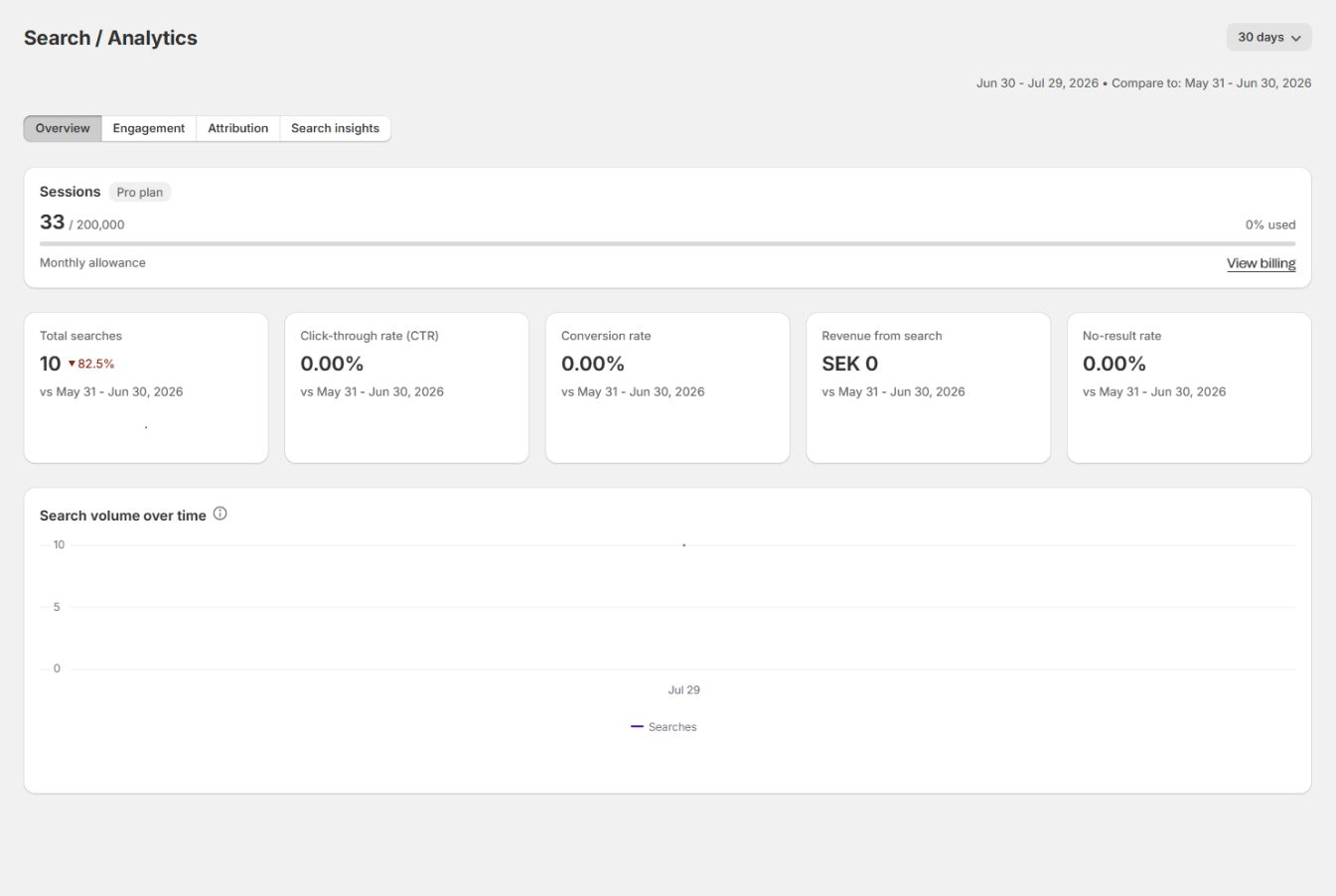
Select 7, 30, or 90 days. Each value compares with the immediately preceding period of the same length.
Overview
Section titled “Overview”- Shopper-visit usage.
- Total searches.
- Click-through rate.
- Conversion rate.
- Revenue from search.
- No-result rate.
- Daily search volume on advanced plans.
Engagement
Section titled “Engagement”- Viewed products.
- Searches per shopper visit.
- Unique products per search and per shopper visit.
- Average time to product view.
- Discovery activity by surface.
- Average click position and time to click.
Sales VIBE helped create
Section titled “Sales VIBE helped create”- Direct VIBE revenue and orders.
- Cart-add-confirmed revenue.
- Click and view revenue.
- Shopify or control revenue where present.
- Conversion funnel.
- Revenue by the signal that connected it to VIBE.
- Top queries behind sales VIBE helped create.
Search insights
Section titled “Search insights”- Top queries and products.
- Query-product winners.
- Product opportunities.
- Weak performers.
- Hidden gems.
- Revenue efficiency.
- No-result queries.
- Filter usage.
Analytics reports evidence. It does not prove that one setting caused a change. Compare metrics with catalog, theme, rule, campaign, seasonality, and traffic timing.
Read Analytics.
A/B Test
Section titled “A/B Test”An A/B test splits qualifying storefront visits between VIBE and Shopify native search.
- Start only after setup, VIBE’s copy of your catalog, theme, and major rules are stable.
- While running, review elapsed days, shopper visits, and both variant metric tables.
- Stop early only for an operational reason. Early results can be noisy.
- The test ends at the configured completion condition or maximum duration.
- A cooldown applies before another test.
- Control-group visits are not billed as VIBE shopper visits while the test is active.
Do not start a test while changing catalog structure, theme integration, or major result rules. The comparison becomes difficult to interpret.
Read A/B testing.
Search Preview
Section titled “Search Preview”Search tab
Section titled “Search tab”Runs a diagnostic query against VIBE’s copy of your catalog and shows:
- Ranked results.
- Overall and meaning-based scores.
- Product data from VIBE’s copy of your catalog.
- Catalog update state.
- Query understanding.
- Product-level diagnostic detail.
Browse tab
Section titled “Browse tab”Runs Explore-style requests with active controls and starting collections.
Preview requests do not add normal storefront analytics or billable shopper visits. Storefront results can still differ because of language, market, filters, control positions, rules, and presentation mode.
Read Search Preview.
Which tool to open first
Section titled “Which tool to open first”| Question | Start with |
|---|---|
| Why is this product missing or low? | Search Preview |
| Which queries produce no results? | Analytics > Search insights |
| Are shoppers clicking useful results? | Analytics > Engagement |
| Which searches contribute to orders? | Analytics > Sales VIBE helped create |
| Is VIBE outperforming the native baseline? | A/B Test |
| Did a targeted change help? | Preview first, then an equal Analytics period |
Verification checklist
Section titled “Verification checklist”- Use the same date-range length for before and after comparisons.
- Record the exact release or setting-change date.
- Reproduce important queries in Preview.
- Check whether traffic source, campaign, or product availability changed.
- Separate correlation from causation in conclusions.
- Confirm storefront tracking before relying on downstream reporting.
Next: review plan limits, support paths, system checks, and scheduling a call.
Account and support