VIBE documentation
Choose a guide by task. Start with the complete guide if you are responsible for setup, launch, and ongoing search operations.
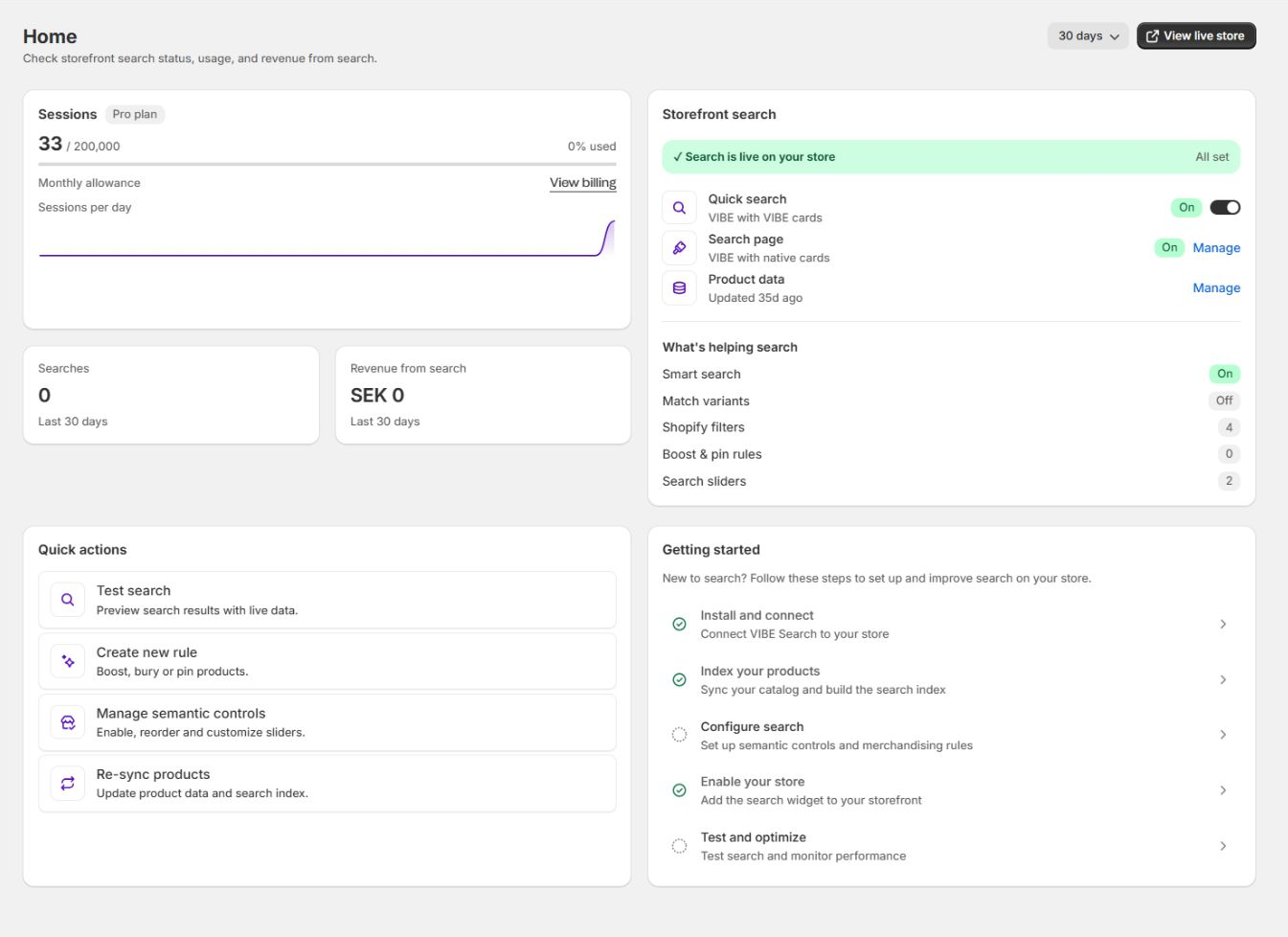
Merchant guides cover setup, configuration, diagnosis, and measurement.
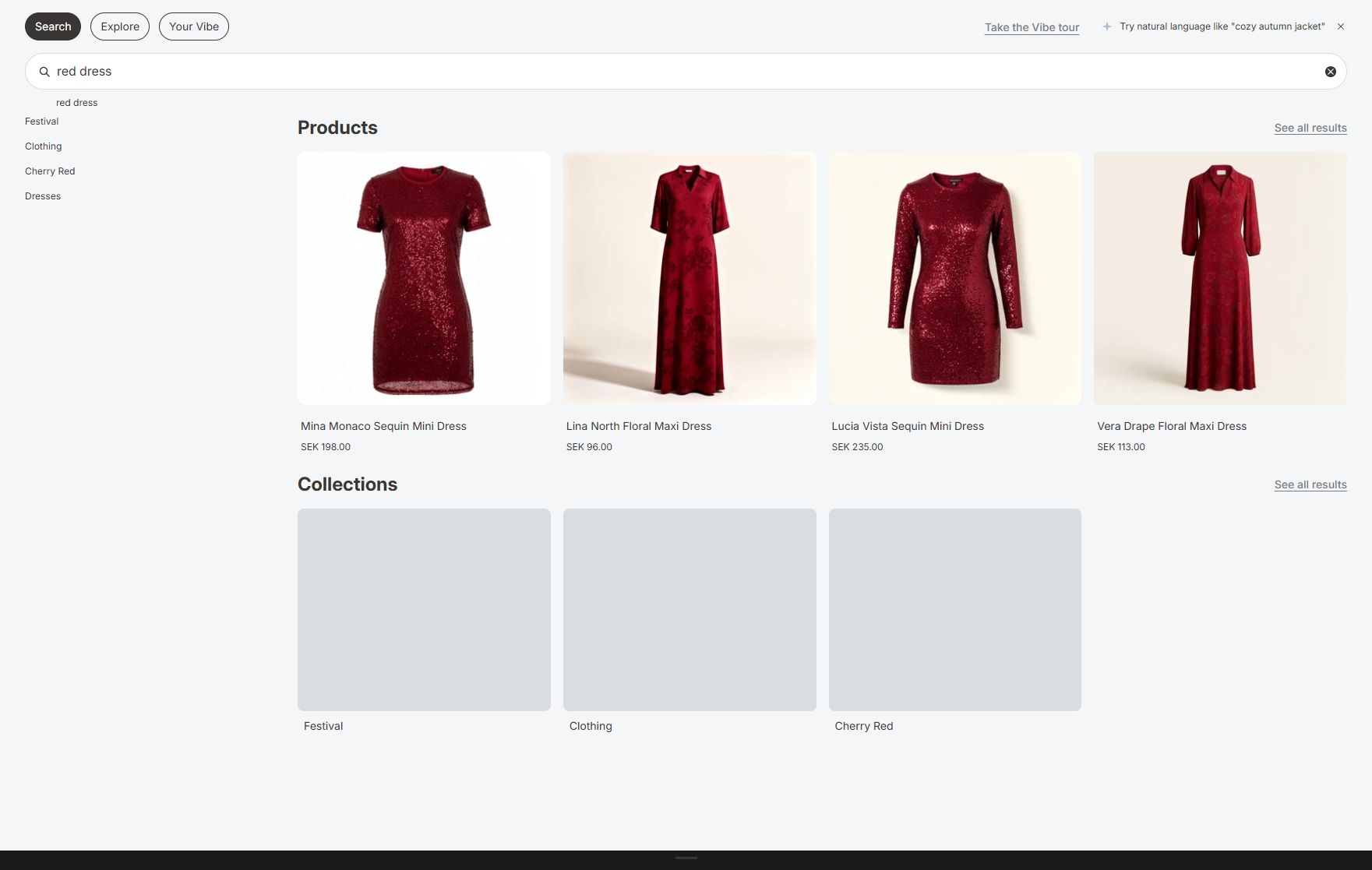
Storefront guides explain what shoppers see and how to test each path.
Set up VIBE
Section titled “Set up VIBE”- VIBE search and discovery
- How VIBE fits together
- Getting started
- Complete merchant guide
- Sync and Index
- Enable VIBE on your theme
- Go-live quality assurance
- Launch and operating playbook
- Admin pages overview
What shoppers see
Section titled “What shoppers see”- Quick search and suggestions
- Full search results page
- Explore and Smart Filters
- Visual discovery and Your Vibe
- Appearance
- Product cards and search surfaces
Make results better
Section titled “Make results better”- How VIBE search works
- Search relevance and ranking
- Search Preview
- Explore controls
- Result rules
- A/B testing
Check performance
Section titled “Check performance”Fix a problem
Section titled “Fix a problem”- FAQ and troubleshooting
- Diagnose search and storefront problems
- Catalog and theme change playbook
- Help and support
Reference
Section titled “Reference”- Admin control reference
- Home, Sync and Index controls
- Appearance controls
- Discovery and merchandising controls
- Measurement, testing, and Preview controls
- Account, billing, and support controls
- Privacy, shopper visits, and sales tracking
- VIBE on custom themes
- VIBE changelog
The VIBE on custom themes reference is for theme developers working on a custom storefront integration. Most merchants do not need it.
- Terms of use: the terms that apply when you use VIBE.
- Privacy policy: what VIBE collects from your store and your shoppers, why, and your rights.
- Subprocessors: the third-party services that handle data on VIBE’s behalf.
- Data retention: how long each kind of data is kept and when it is deleted.
Need help?
Section titled “Need help?”Check the FAQ and troubleshooting guide. If the problem remains, email vibe@coiagency.com with your store domain, the affected feature, and a screenshot or recording.