Documentation map
Use this page as the coverage map for the complete VIBE product. Every merchant-facing admin area and supported shopper flow links to an explanation of what it does, why it matters, how to configure it, how to test it, and where to troubleshoot it.
1UnderstandRead how the system and ranking layers fit together.
2ConfigureUse the admin-area guide for the control you need.
3OperateFollow a workflow for launches, changes, or optimization.
4ResolveUse symptom-based diagnosis and the FAQ.
First-time setup
Section titled “First-time setup”| Stage | What it covers | Guide |
|---|---|---|
| Welcome | Theme selection, storefront password, catalog preference | Getting started |
| Plan | Shopify subscription, trial, session allowance, feature access | Plan and Billing |
| VIBE analysis | Catalog analysis and initial search profile | Complete merchant guide |
| Sync | First catalog index and progress | Sync and Index |
| Appearance | Quick-search and search-page card choices | Appearance |
| Enable | App embed and Search Page block | Enable VIBE on your theme |
| Verify | Desktop, mobile, query, filter, and product-link checks | Go-live quality assurance |
Concepts and system behavior
Section titled “Concepts and system behavior”| Topic | Guide |
|---|---|
| Shopify data to storefront result and Analytics | How VIBE fits together |
| Eligibility, keyword and semantic signals, filters, controls, and rules | Search relevance and ranking |
| VIBE cards, native theme cards, search surfaces, and fallback behavior | Product cards and search surfaces |
| Keyword and meaning-based search overview | How VIBE search works |
| Exact consequence of every admin control | Admin control reference |
| Anonymous sessions, storage, GTM, A/B assignment, and order attribution | Privacy, sessions, tracking, and attribution |
Admin areas
Section titled “Admin areas”| Navigation area | Primary guide | Operating follow-up |
|---|---|---|
| Home | Home dashboard | Measure and optimize search |
| Sync and Index | Sync and Index | Catalog and theme change playbook |
| Appearance | Appearance | Enable VIBE on your theme |
| Explore mode | Semantic controls | Explore and Smart Filters |
| Merchandising | Merchandising rules | Search relevance and ranking |
| Analytics | Analytics | Measure and optimize search |
| A/B Test | A/B testing | Measure and optimize search |
| Search Preview | Search Preview | Diagnose search and storefront problems |
| Plan and Billing | Plan and Billing | Privacy, sessions, tracking, and attribution |
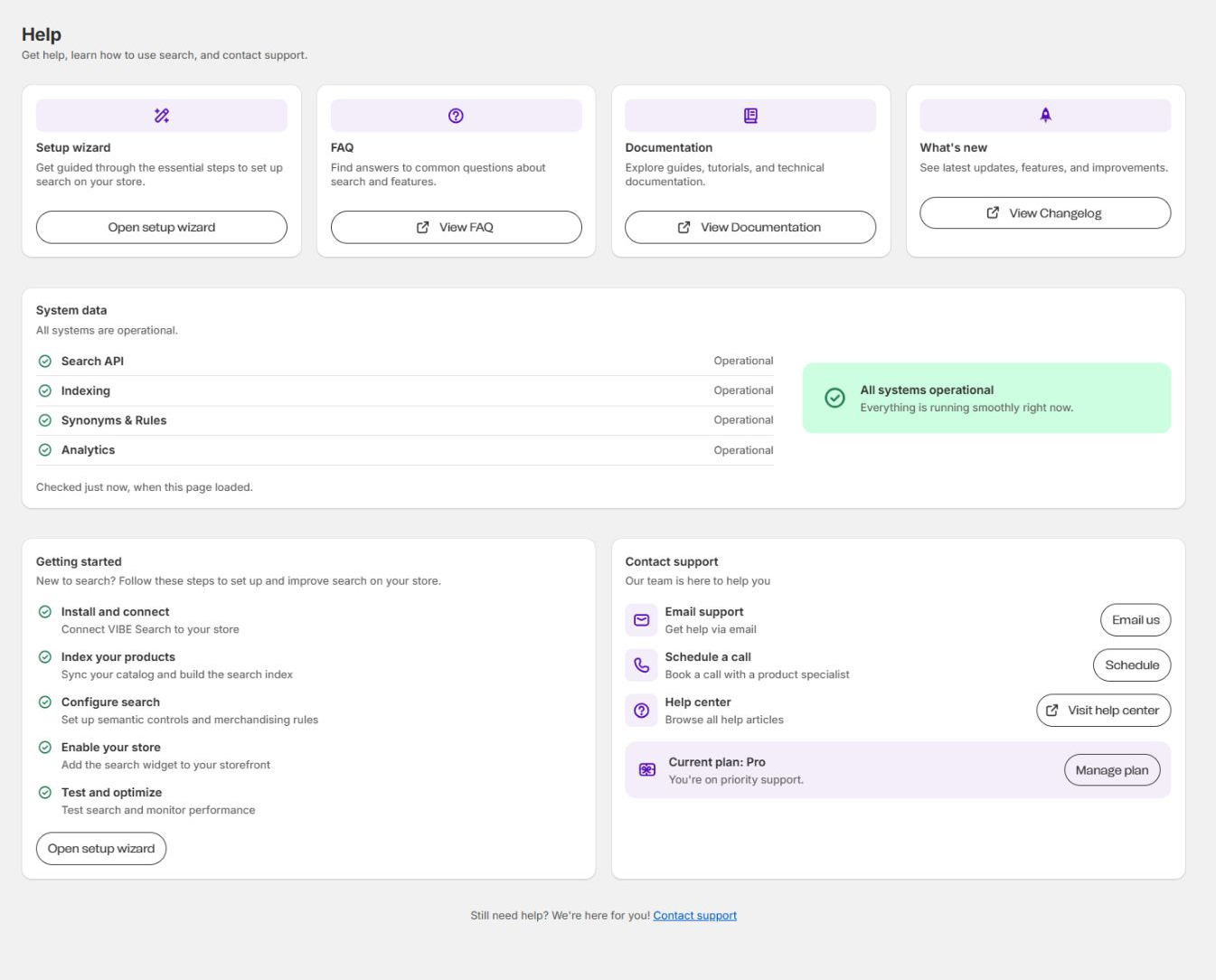
| Help | Help and support | FAQ |
For a one-page summary of all navigation, see Admin pages overview.
Storefront experiences
Section titled “Storefront experiences”| Shopper flow | Complete guide |
|---|---|
| Search icon, search input, predictive suggestions, popular and pinned terms | Quick search and suggestions |
/search, result groups, filters, sorting, pagination, and URL state | Full search results page |
| Sliders, toggles, single concepts, starting collections, and exact filters | Explore and Smart Filters |
| Find similar, Taste, favorites, Your Vibe boards, and image upload | Visual discovery and Your Vibe |
| VIBE and theme product-card modes | Product cards and search surfaces |
| Theme app embed, Search Page block, and standalone Explore block | Enable VIBE on your theme |
| Storefront wording and languages | Appearance - Translations |
| VIBE colors, spacing, columns, grids, fonts, and ratios | Appearance - Style |
Catalog and relevance flows
Section titled “Catalog and relevance flows”| Task | Guide |
|---|---|
| Product missing from all results | Diagnose a missing product |
| Product ranks too low | Diagnose low ranking |
| Broad intent search is weak | Diagnose broad intent |
| Hide product, collection, or tag | Sync and Index - Catalog visibility |
| Decide out-of-stock behavior | Out-of-stock products |
| Change collection, variant, or image search | Sync and Index configuration |
| Choose product and context images | Image strategy change |
| Add boost, bury, pin, behavioral, synonym, or redirect rule | Merchandising rules |
| Create or regenerate semantic controls | Semantic controls |
Store operations
Section titled “Store operations”| Situation | Guide |
|---|---|
| First launch and routine operations | Launch and operating playbook |
| Full pre-launch test | Go-live quality assurance |
| Large catalog import or bulk edit | Catalog and theme change playbook |
| Publish a new theme | Publish a new theme |
| Product-card markup changes | Theme product-card markup changed |
| Add a storefront language | Add a storefront language |
| Diagnose an incident | Diagnose search and storefront problems |
| Weekly and monthly optimization | Measure and optimize search |
| Request support or a call | Help and support |
Measurement
Section titled “Measurement”| Topic | Guide |
|---|---|
| Overview, Engagement, Attribution, and Search insights | Analytics |
| Metric-to-action workflow | Measure and optimize search |
| VIBE versus Shopify native test | A/B testing |
| Anonymous session metering | Privacy, sessions, tracking, and attribution |
| GTM event validation | Google Tag Manager events |
| Paid-order attribution | Paid-order attribution |
Technical reference
Section titled “Technical reference”Developers and advanced theme implementers can use Widget configuration reference for app blocks, data attributes, metafields, runtime configuration, locale keys, integration fields, events, and custom-theme checks.
If you do not know where to start
Section titled “If you do not know where to start”- Read How VIBE fits together.
- Find the affected admin or storefront area in the tables above.
- Reproduce the exact symptom in Search Preview when it is a result problem.
- Follow Diagnose search and storefront problems.
- Make one targeted change and complete storefront QA.